VST2 and VST3
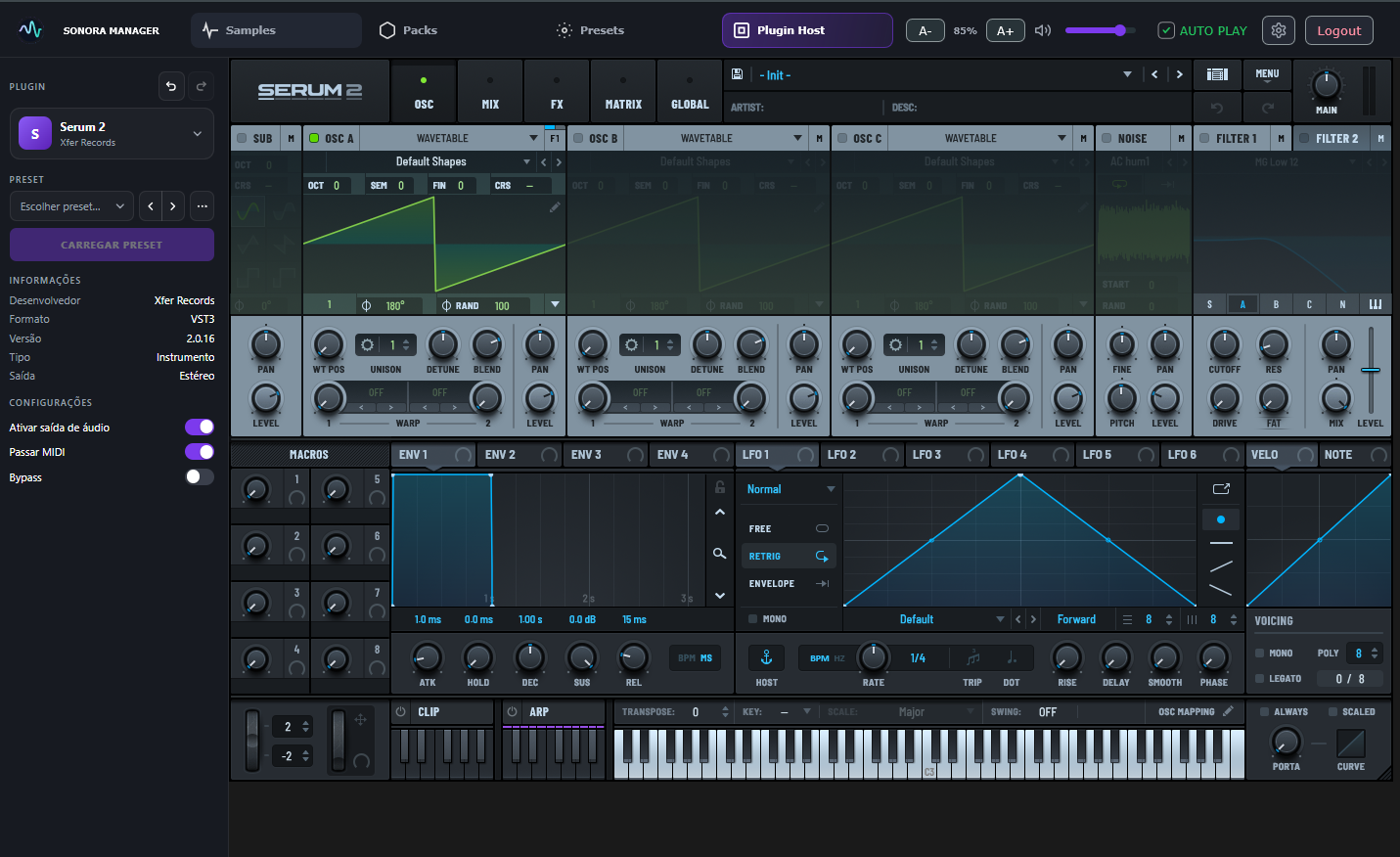
Pick a synth from the list Sonora finds on your PC and it opens inside the plugin, with its own window and all its original controls. Each entry shows whether it is VST2 or VST3.

Open Serum 2, Diva, Sylenth1 or any VST2 or VST3 synth inside Sonora Manager, load a preset from your library and keep producing without leaving your DAW.
How it works
Sonora opens the synth inside the plugin with the preset you picked. Serum 2, Diva and Sylenth1 (VST2) load it by themselves; with the others you drag it in.
Find the preset in your library by synth, category, tag or favorite.
The synth opens in the Plugin Host and the preset goes into it.
Play it from your DAW. When you save the project, the synth and the preset are saved with it.
Loads by itself: Serum 2 and Diva (VST3), Sylenth1 (VST2) and any VST2 whose preset is a .fxp saved by that same plugin. With the other synths, Sonora opens the plugin and you drag the preset onto its window.
Sonora hosts VST2 (64-bit) and VST3 plugins.
Plugin Host
The Plugin Host is what takes Sonora beyond a library: it runs your VST2 and VST3 synths inside the plugin and connects each one to your presets.
Pick a synth from the list Sonora finds on your PC and it opens inside the plugin, with its own window and all its original controls. Each entry shows whether it is VST2 or VST3.
Open a preset in the Presets tab and the Plugin Host loads the right synth for it.
Sonora checks that the synth really changed before saying a preset was applied, and never applies a preset to the wrong plugin.
The synth, VST2 or VST3, and its settings are stored in your DAW project and come back when you reopen it.
Switched plugin or preset by mistake? Undo and redo bring it back.
Preset Manager
Every preset you install is listed by synth, so you can browse the sounds you own without opening one synth at a time.
Type a name to find a preset, then narrow the list to one synth.
Star the ones you reach for and group presets into your own collections.
Tweak a sound in the synth and save the current state as a new preset. It is listed in the Presets tab, under the plugin you saved it from.
Install a pack and Sonora puts its presets in the folder of each synth.
Samples and Drum Rack
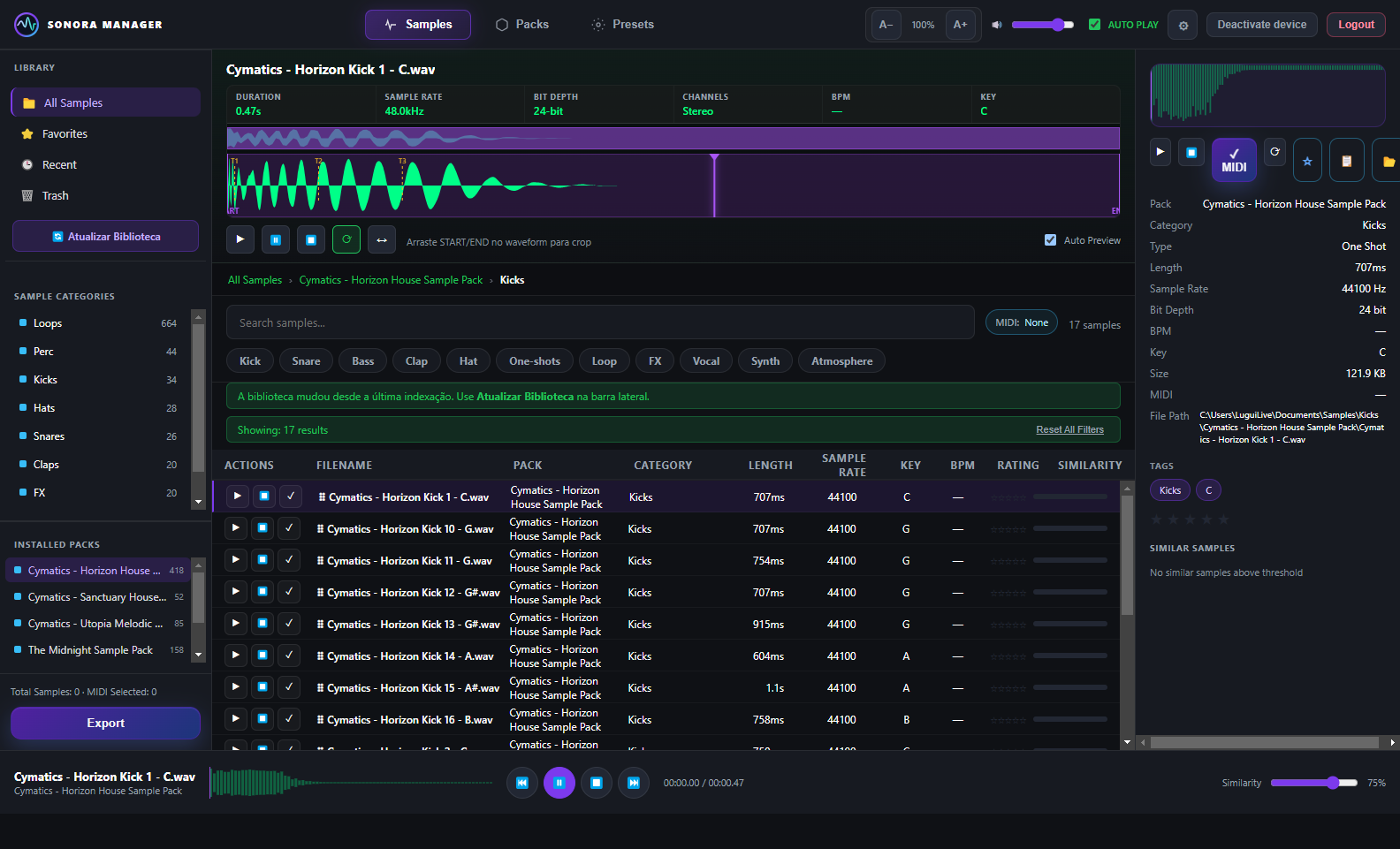
Sonora Manager started as a sample manager, and it still is one.
Scan your sample folders and install packs by type or by pack. Your original files stay untouched.
Keep samples in more than one folder or drive. The library merges them, and a pack on a drive that is unplugged stays in the history instead of disappearing.
BPM and key are read from the file name, and each sample lists similar sounds from the same category, pack and tags.
16 pads, each with its MIDI note. Drag samples from the browser onto the pads.
Ableton, chromatic and General MIDI note maps, so the kit matches how you work.
See it
Screens from Sonora Manager running.


Pricing
Free for 14 days, no card needed. Then buy it from your dashboard.
Desktop app for Windows + plugin: organize in the app, produce inside your DAW.
Sonora hosts VST2 and VST3 synths. Serum 2 and Diva load the preset by themselves, and so does any VST2 synth, like Sylenth1, when the preset is a .fxp saved by that same plugin. With Vital, Massive, Spire, Phase Plant and other synths, Sonora opens the plugin and you drag the preset onto its window.
No. Your synths stay installed and work as they always do. Sonora opens them inside the plugin and connects them to your preset library. You need your own licensed copy of each synth.
Yes. The Plugin Host scans and loads 64-bit VST2 plugins (.dll) next to VST3 ones, and shows which format each entry is. 32-bit plugins are skipped.
Sonora Manager is a VST3 plugin, so it runs in DAWs that load VST3 plugins.
No. Your originals stay where they are. Sonora copies packs to the destination folder you choose.
Yes. In its settings, the plugin checks for a new version and starts the installer for you.
Create your account and confirm your e-mail: you get 14 days of Premium, no card needed. After the 14 days, buy Sonora Manager from your dashboard with a one-time payment.
Create your account and try it free for 14 days. No card needed.
Create accountTry Sonora Manager free for 14 days
Start free trial