Runs your VST2 and VST3 synths
Pick a synth from the list Sonora finds on your PC and it opens inside the plugin, with its own window and all its controls. A badge shows whether each entry is VST2 or VST3.

Plugin Host
The Plugin Host runs a VST2 or VST3 synth inside the Sonora plugin, so your preset library and your sound live in the same window.
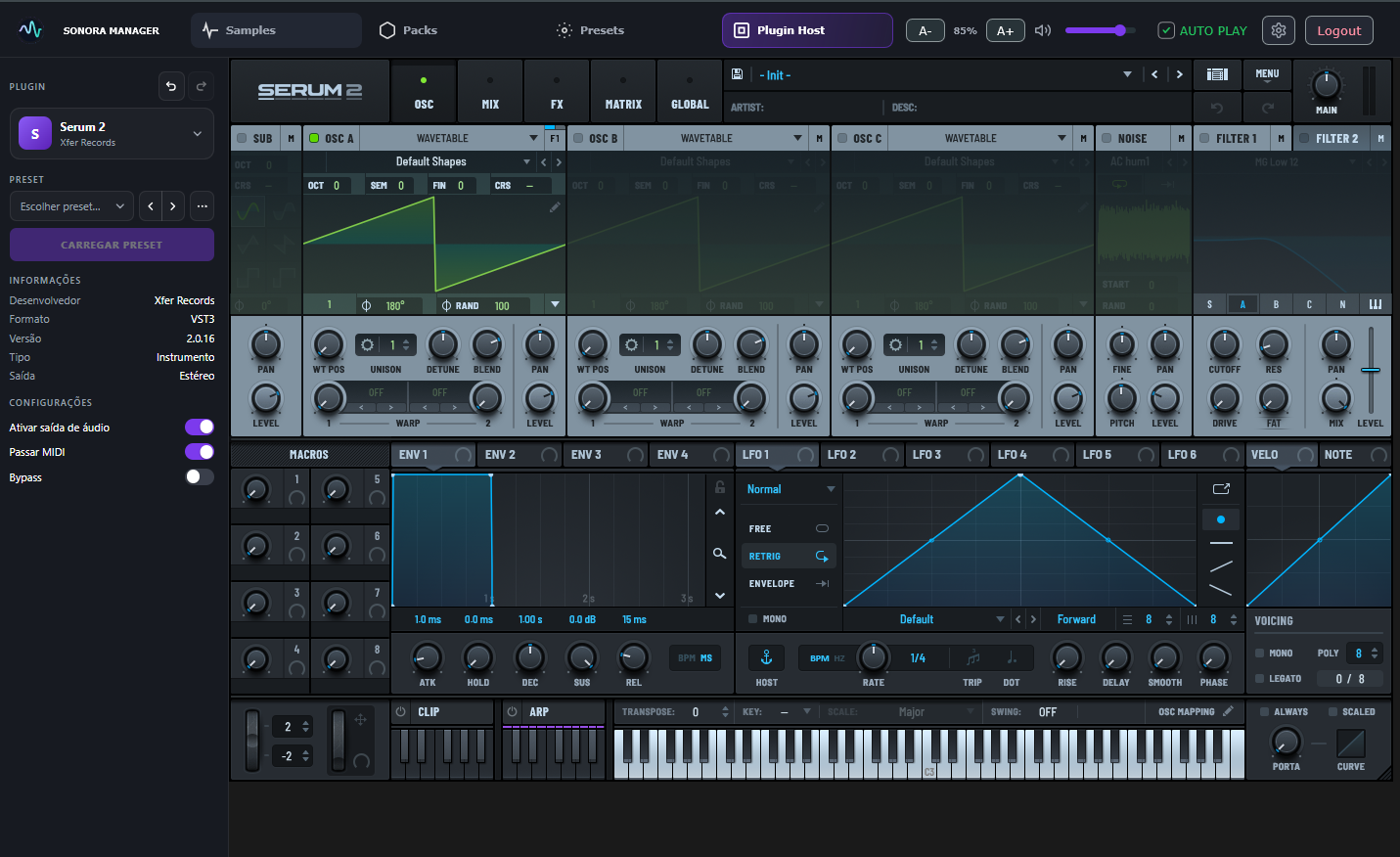
Pick a synth from the list Sonora finds on your PC and it opens inside the plugin, with its own window and all its controls. A badge shows whether each entry is VST2 or VST3.
Open a preset from the Presets tab and the Plugin Host loads the right synth for it.
Sonora checks that the synth really changed before saying a preset was applied, and never applies a preset to the wrong plugin.
MIDI from your DAW reaches the synth, so you play it like any other instrument.
The synth, VST2 or VST3, and its settings are saved in your DAW project and restored when you reopen it.
Every plugin switch and every preset load can be undone and redone.
Save the current sound as a preset, rename it, duplicate it and add it to collections.
What you do depends on the synth. Either way, you start from the Presets tab.
Double-click a preset, or press Open in Plugin Host. Sonora loads the synth and hands it the preset.
Serum 2 (.SerumPreset) · Diva (.h2p) · Sylenth1 and other VST2 synths (.fxp)
Sonora loads the synth and shows a banner with the preset file. Drag it onto the synth window.
Vital · Massive · Spire · Phase Plant · other synths
No. Your synths stay installed and work as they always do. Sonora only opens them inside the plugin. You need your own licensed copy of each synth.
Any 64-bit VST2 or VST3 synth installed on your PC. Serum 2, Diva and VST2 synths like Sylenth1 also load presets by themselves.
Yes, as long as the synth is still installed on that computer. The synth and its settings are saved in the DAW project.
Only with synths other than Serum 2, Diva and the VST2 synths whose presets are .fxp files. With those, a double-click is enough.
Try Sonora Manager free for 14 days
Start free trial